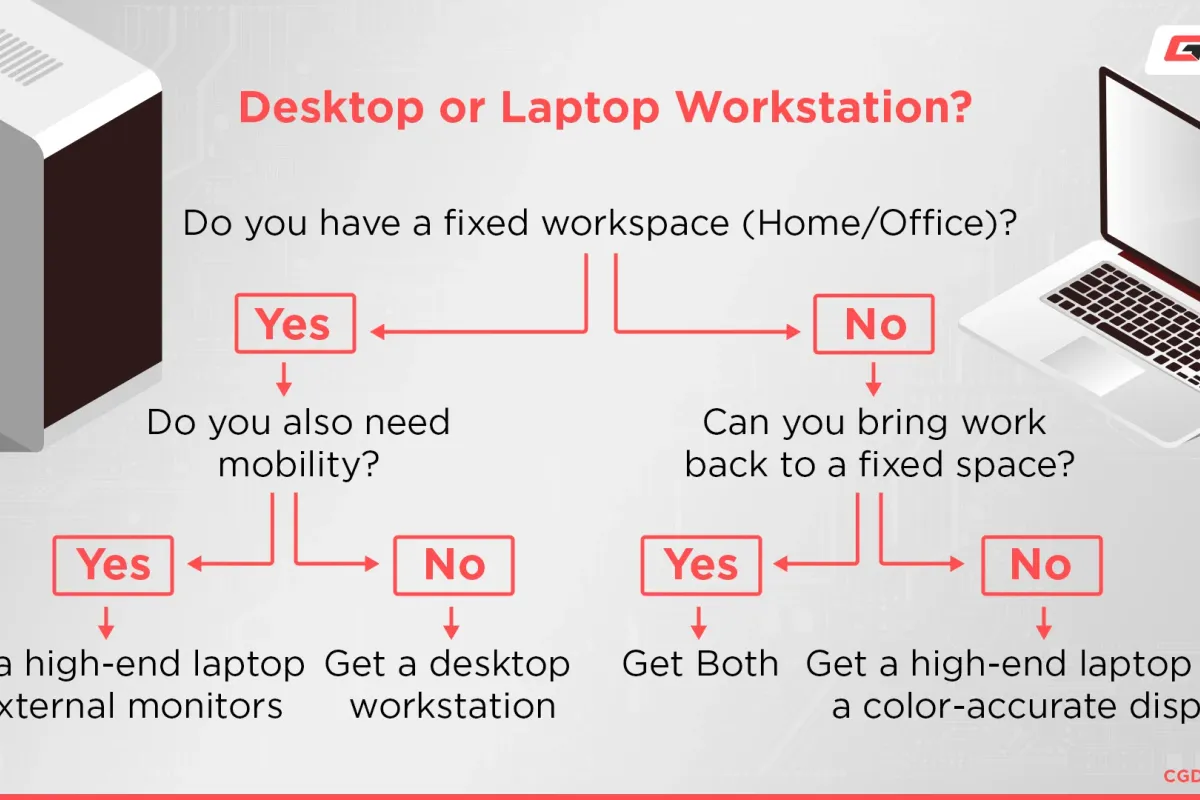

Buying a new laptop can feel overwhelming. There are dozens of brands, confusing specs, and marketing buzzwords that don’t always translate into real-world performance.
The good news?
You don’t need to be a tech expert to choose the right laptop — you just need to know what actually matters for your use case.
1. Start With One Simple Question: What Will You Use It For?
Before looking at specs, answer this honestly:
- Browsing, email, YouTube, basic work?
- Programming, design, photo/video editing?
- Gaming or heavy multitasking?
Most people buy more power than they’ll ever use, which means wasting money.
Quick rule of thumb
- Everyday use: Focus on battery life and screen quality
- Work & creative tasks: CPU + RAM matter most
- Gaming: GPU and cooling are critical
2. Processor (CPU): The Brain of Your Laptop
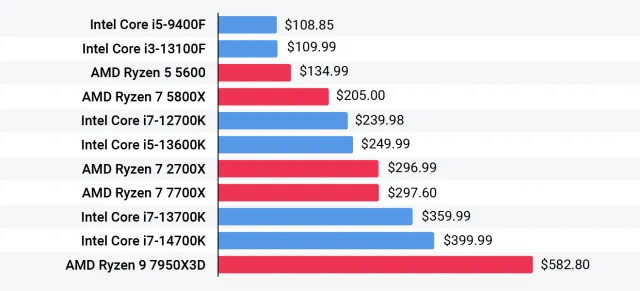
The CPU determines how fast your laptop feels during daily tasks.
What to look for
- Intel Core i5 / i7 or AMD Ryzen 5 / 7 → sweet spot for most users
- Avoid very old generations, even if the price looks tempting
💡 Tip: Newer mid-range CPUs often outperform older “high-end” ones.
3. RAM: Don’t Go Below This
RAM affects multitasking — how many tabs and apps you can open smoothly.
- 8 GB → absolute minimum in 2026
- 16 GB → ideal for longevity and comfort
- 32 GB → only if you do heavy creative work
If possible, choose a laptop where RAM can be upgraded later.
4. Storage: SSD Is Non-Negotiable
If a laptop still uses a traditional hard drive (HDD), skip it.
- SSD = faster boot, faster apps, less frustration
- 512 GB SSD is the best balance for most people
- Cloud storage can help, but local space still matters
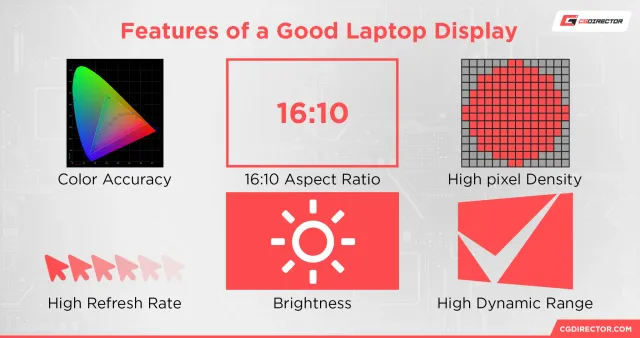
5. Display: The Most Underrated Feature

You’ll look at the screen every single day — don’t ignore it.
What matters
- Resolution: Full HD (1920×1080) minimum
- Brightness: 300 nits or more
- Panel type: IPS or OLED for better colors and angles
A good screen reduces eye strain and makes everything feel premium.
6. Battery Life: Real-World > Advertised
Manufacturers often exaggerate battery claims.
Look for:
- Reviews mentioning 8+ hours of real usage
- Efficient CPUs (Apple Silicon, AMD Ryzen, Intel Core Ultra)
If you travel or work remotely, battery life is worth paying for.
7. Build Quality & Keyboard (Yes, It Matters)
A solid laptop:
- Feels sturdy when lifted
- Doesn’t flex when typing
- Has a comfortable keyboard and responsive trackpad
This is where hands-on reviews really help.
👉 A reliable place to check long-term reviews is NotebookCheck, which tests performance, thermals, and battery life in depth.
8. Don’t Fall for These Marketing Traps
- “Gaming laptop” for non-gamers → heavy, loud, poor battery
- Ultra-thin but underpowered models
- Paying extra for specs you’ll never use
Smart buying = matching hardware to your real needs.
Final Thoughts: Buy Smarter, Not Bigger
The best laptop isn’t the most expensive one — it’s the one that fits your daily life.
If you:
- Define your use case
- Stick to modern CPUs
- Choose enough RAM and a good display
You’ll end up with a machine that feels fast and reliable for years.
What’s Next?
In future articles, we’ll break this down even further:
- Best laptops for work from home
- Budget laptops that don’t feel cheap
- MacBook vs Windows — who should buy what?